Line Rider
A timeless drawing sandbox: sketch the track, hit play, and watch your ideas become motion.
Line Rider · Press Esc to exit fullscreen







ABOUT
What Is Line Rider?
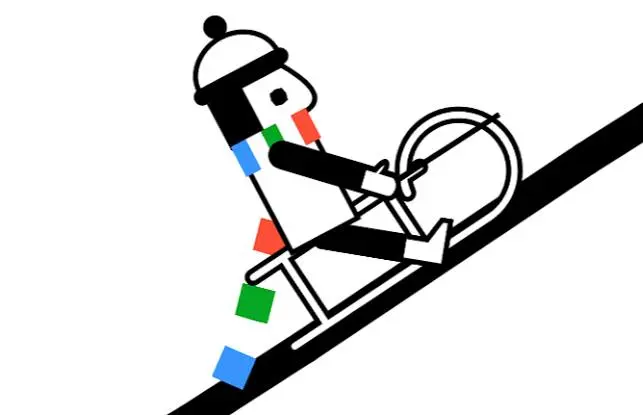
Line Rider is a creative browser game where you draw a path and let a sledder ride it using physics simulation. Every line you place directly affects speed, direction, balance, and momentum.
The concept is easy to learn: draw, press play, and observe. The depth appears when you start refining details such as curve smoothness, landing angles, and transition timing.
Line Rider became popular because it blends drawing, experimentation, and replay in one loop. You can build playful tracks in minutes or spend longer crafting technical runs with perfect flow.
There is no rigid win condition, which makes it feel open and relaxing while still rewarding skill. Your progress is visible in every cleaner turn and every successful sequence you create.
Whether you want a quick fun session or a precision track-building challenge, Line Rider offers both without complicated controls.
GAMEPLAY
How a Line Rider Session Works
- 1
Start With a Base Slope
Draw a gentle downhill entry so the sledder gains stable momentum before more complex sections.
- 2
Shape the Main Route
Add hills, curves, and transitions. Smooth geometry generally creates cleaner movement and fewer sudden crashes.
- 3
Use Line Types Intentionally
Normal lines guide movement, acceleration lines add speed, and scenery lines help visual planning.
- 4
Play and Observe Physics
Run the track and watch where control is lost. Most problems come from harsh angles or uneven transition points.
- 5
Edit and Re-test
Erase small sections, redraw cleaner arcs, and test again. Iteration is the core skill loop in Line Rider.
- 6
Build Signature Moments
Once your base flow works, add jumps, loops, and dramatic drops for style without breaking consistency.
PROGRESSION
From Sketches to Polished Physics Tracks
Beginners usually focus on drawing long lines quickly. Stronger players focus on transitions: how one segment connects to the next without jolting the sledder.
As your understanding grows, you begin planning momentum intentionally. You will place speed boosts with purpose, control line curvature, and design safer re-entry angles after jumps.
Advanced creation is about rhythm: balancing spectacle and stability. A track feels great when it is both visually creative and mechanically reliable over repeated tests.
The best way to improve is to build in short cycles: draft, test, fix one issue, and repeat. Small improvements compound into smooth high-quality rides.
CONTROLS
Editor Controls and Input Guide
TIPS
Build Better Tracks Faster
- Prioritize Smooth Curves — Abrupt corners often create instability. Gentle transitions improve control and readability.
- Test in Small Sections — Validate one part at a time before expanding the full route.
- Use Speed Lines Sparingly — Extra speed is exciting but hard to control. Add it where landings are predictable.
- Watch Landing Angles — Many failures happen after jumps. Tune the next line to absorb momentum safely.
- Design for Rhythm — Great tracks feel continuous. Alternate calm segments and action moments intentionally.
- Save Good Versions — Keep stable variants before major edits so you can revert if a redesign fails.
FAQ
What kind of game is Line Rider?+
Line Rider is a physics-based drawing sandbox where you create a path and watch a sledder ride it in real time.
Is Line Rider easy for beginners?+
Yes. The basic controls are simple, and you can start creating tracks immediately. Mastery comes from refining line flow and momentum.
Why does my sledder crash on a track that looks correct?+
Visual shape can be misleading. Crashes often come from sudden angle changes, rough transitions, or too much speed entering a curve.
Do I need to draw fast to make good tracks?+
No. Precision matters more than speed. Slow, deliberate drawing usually produces cleaner rides.
Can I play Line Rider on mobile?+
Line Rider-style web versions can be played on many mobile browsers, but desktop generally offers more precise editing control.
What is the best way to improve quickly?+
Use short build-test loops. Fix one problem at a time, especially transition smoothness and landing stability.
SHARE
I am playing Line Rider online. The track editor is simple, but making a smooth run is a real challenge.
https://brush-jjaemu.online/games/line-rider
Line Rider - Build Your Own Sled Track